

Desk Work After 50: 8 Ways to Support Energy and Comfort
Desk work may not look physically demanding, but spending most of the day in front of a screen can leave you surprisingly drained. A stiff neck, tired eyes, an aching back, and a late-afternoon energy slump can all make it harder to feel good when the workday ends.
Those challenges do not suddenly begin on your 50th birthday. However, old injuries, changing vision, interrupted sleep, caregiving responsibilities, health conditions, and years spent repeating the same work patterns can make an uncomfortable setup harder to ignore.
The answer is not to chase one “perfect” posture or force yourself through the day. A more useful goal is to make the work fit you a little better, then build enough variety into the day that your body and attention are not stuck in one position for hours.
Here are eight practical places to begin.
Why Desk Work Can Feel More Demanding Over Time
Ergonomics is the practice of fitting work to the worker. That includes the desk and chair, but it also includes the tools you use, the tasks you perform, and how often you can change position.
The Occupational Safety and Health Administration notes that there is no single correct workstation arrangement that fits everyone. Body size, job duties, equipment, and personal comfort all matter. That is good news: you do not need to copy a picture-perfect office. You need a setup that reduces unnecessary strain and lets you work comfortably.
1. Adjust the Screen Before Blaming Your Neck
If you repeatedly lean forward to read, lift your chin to see the screen, or turn your head toward a monitor that sits off to one side, your screen position may be adding work for your neck and shoulders.
Start with the simplest changes:
- Center the screen you use most often in front of you.
- Increase the text size instead of leaning closer.
- Reduce glare from windows or overhead lighting when possible.
- Place frequently used windows and tools where you can see them without constant twisting.
- If you use two monitors equally, arrange them so you can work between them without repeatedly turning in one direction.
The screen should be easy to read while your head and neck feel relaxed. OSHA’s computer monitor guidance offers additional ideas, but your comfort matters more than forcing your desk to match one exact measurement.
2. Support Your Feet, Back, and Arms—Then Leave Room to Move
A supportive chair can help, but support does not mean locking your body into one rigid pose.
Try to arrange the chair and desk so that:
- Your feet rest securely on the floor or a stable footrest.
- The chair supports your lower back.
- Your shoulders can relax instead of lifting toward your ears.
- Your elbows stay reasonably close to your body.
- Your keyboard and mouse do not require a long reach.
If the desk is fixed, adjusting the chair may solve one problem while creating another. For example, raising the chair for better keyboard height may leave your feet unsupported. A stable footrest can bridge that gap.
Use these points as starting places, not rules you must hold all day. OSHA’s computer workstation guide emphasizes adjustability because people and tasks differ.
3. Change Position Before Discomfort Forces You To
Standing all day is not a magic solution to sitting all day. The more useful principle is variation.
When your work allows it, change something before stiffness becomes distracting. You might stand during a phone call, walk to refill your water, shift your chair position, or take a brief movement break between tasks. If you cannot leave your station, even relaxing your hands, rolling your shoulders gently, or repositioning your feet can interrupt a fixed posture.
Short movement breaks do not replace regular physical activity, but they can make a long workday feel less static. The CDC encourages adults to move more and sit less, while OSHA recommends periodically changing positions when possible.
If you are rebuilding an exercise routine outside work, this beginner-friendly guide to exercise after 50 can help you start at a manageable level.
4. Give Your Eyes Something Farther Away to Focus On
Screen fatigue may show up as dry eyes, blurred vision, headaches, or difficulty refocusing. That does not necessarily mean the screen is damaging your eyes, but it may mean they need more variety and fewer uninterrupted stretches of close work.
The National Eye Institute suggests the 20-20-20 rule: every 20 minutes, look about 20 feet away for at least 20 seconds. You do not need to turn this into another stressful timer. Use it as a reminder to look out a window, across the room, or toward a distant object whenever you finish a task or reach a natural pause.
It may also help to:
- Enlarge small type.
- Reduce glare.
- Blink deliberately when your eyes feel dry.
- Clean the screen so you are not straining through smudges.
- Schedule an eye examination if symptoms persist or your prescription may have changed.
5. Make Food and Fluids Easier to Access
Busy office days can make basic needs feel inconvenient. You may postpone lunch, forget to drink, or rely on whatever snack is closest when your energy drops.
Instead of depending on willpower at your busiest moment, make the easier choice available ahead of time. Bring a meal you can eat during a short break, keep an appropriate drink nearby, or prepare a simple snack that fits your needs.
There is no universal meal schedule or perfect amount of water for everyone. Medications, health conditions, climate, and activity all matter. The practical goal is to notice whether long gaps without food or fluids are making your afternoon harder.
For realistic meal-building ideas, see How to Build Meals That Support Strength and Energy After 50.
6. Plan for the Afternoon Dip Instead of Declaring War on It
An afternoon slowdown is not a character flaw. Long meetings, sustained concentration, poor sleep, a heavy meal, or hours of screen exposure can all play a part.
Before automatically reaching for more caffeine, try a small reset:
- Step away from the screen for a few minutes.
- Take a short walk if it is safe and permitted.
- Switch to a different kind of task.
- Get a little daylight.
- Have a planned snack if hunger is part of the problem.
- Check whether you have been sitting in the same position for too long.
Caffeine affects people differently and may interact with sleep, anxiety, medications, or health conditions. If you use it, pay attention to your own response rather than following a universal cutoff time.
Persistent daytime fatigue can also be a sign that your recovery needs attention. Our guide to sleep and recovery after 50 is a useful next step.
7. Protect the Transition Out of Work
Desk work can follow you home even when you work from home. Your body may leave the chair, but your mind may still be replaying messages, deadlines, and unfinished tasks.
A short end-of-work routine can create a clearer boundary. Write down tomorrow’s first task, close unnecessary tabs, tidy the immediate workspace, and then do something that signals a change of role. That might be a short walk, changing clothes, preparing dinner, listening to music during the commute, or taking several quiet minutes before joining the household.
The routine does not need to be elaborate. Its purpose is to keep work from consuming the first part of your evening by default.
8. Treat Persistent Symptoms as Information
Workstation adjustments and movement breaks can improve everyday comfort, but they are not a substitute for medical care or a professional ergonomic assessment.
Talk with a healthcare professional, eye-care professional, occupational health department, or qualified ergonomics resource when symptoms are persistent, worsening, or interfering with work. Numbness, tingling, weakness, recurring headaches, vision changes, significant pain, or ongoing fatigue deserve attention rather than repeated attempts to “push through.” Seek urgent care for sudden or severe symptoms.
If your employer offers an ergonomic evaluation, consider requesting one. A small equipment or task adjustment may be easier to identify when someone observes how you actually work.
Try a Three-Part Desk Reset
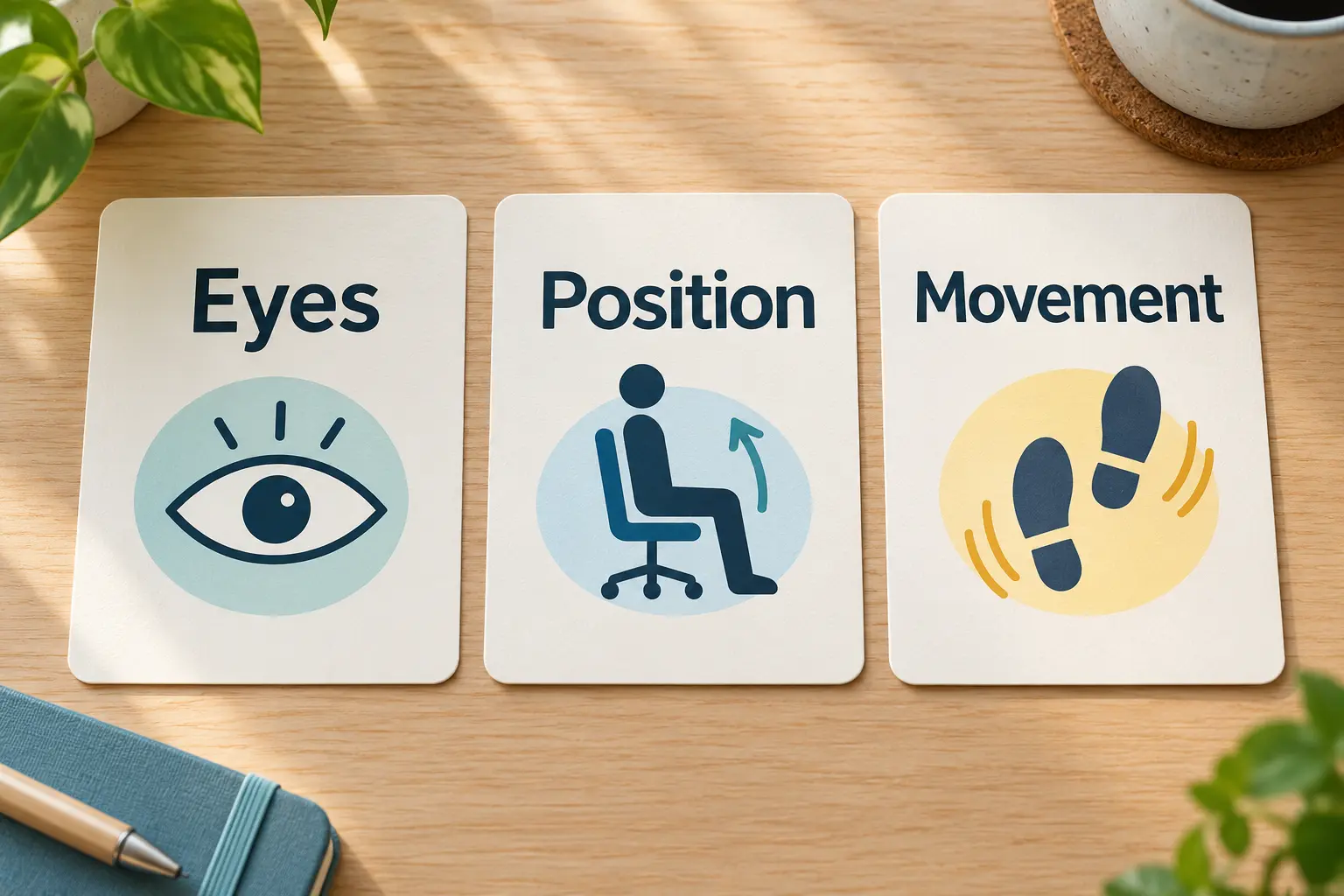
When the day gets busy, a long wellness checklist is easy to ignore. A three-part reset is simpler:
- Eyes: Look away from the screen and let your eyes focus at a distance.
- Position: Change one part of your posture or support.
- Movement: Stand, walk, or move gently in a way that is safe for you and your workplace.
You can use this reset between meetings, after finishing a report, before lunch, or whenever you notice your concentration slipping. It does not need to happen at an exact interval to be useful.
Build a Workday That Fits You Better
You do not need an expensive office makeover or a perfectly optimized routine to make desk work more comfortable. Start with the biggest source of friction: a screen you cannot read easily, unsupported feet, hours without changing position, skipped meals, or a workday that never seems to end.
Choose one change and test it for a week. If it helps, keep it and add another. The goal is not to out-discipline an uncomfortable workday. It is to design more support and variation into the work you already do.
This article provides general educational information and is not medical advice or an individual ergonomic assessment. Adapt these ideas to your abilities, health needs, job requirements, and workplace safety rules.
Discover more from Your Whole Body Transformation
Subscribe to get the latest posts sent to your email.